
Showcase your next product demo with Reframe
Record your screen, then re-frame it — auto zoom that follows your cursor, beautiful backgrounds, annotations and a webcam bubble. Export to MP4, GIF or WebM with no watermark.
FreeOpen sourceNo account requiredmacOS, Windows & Linux
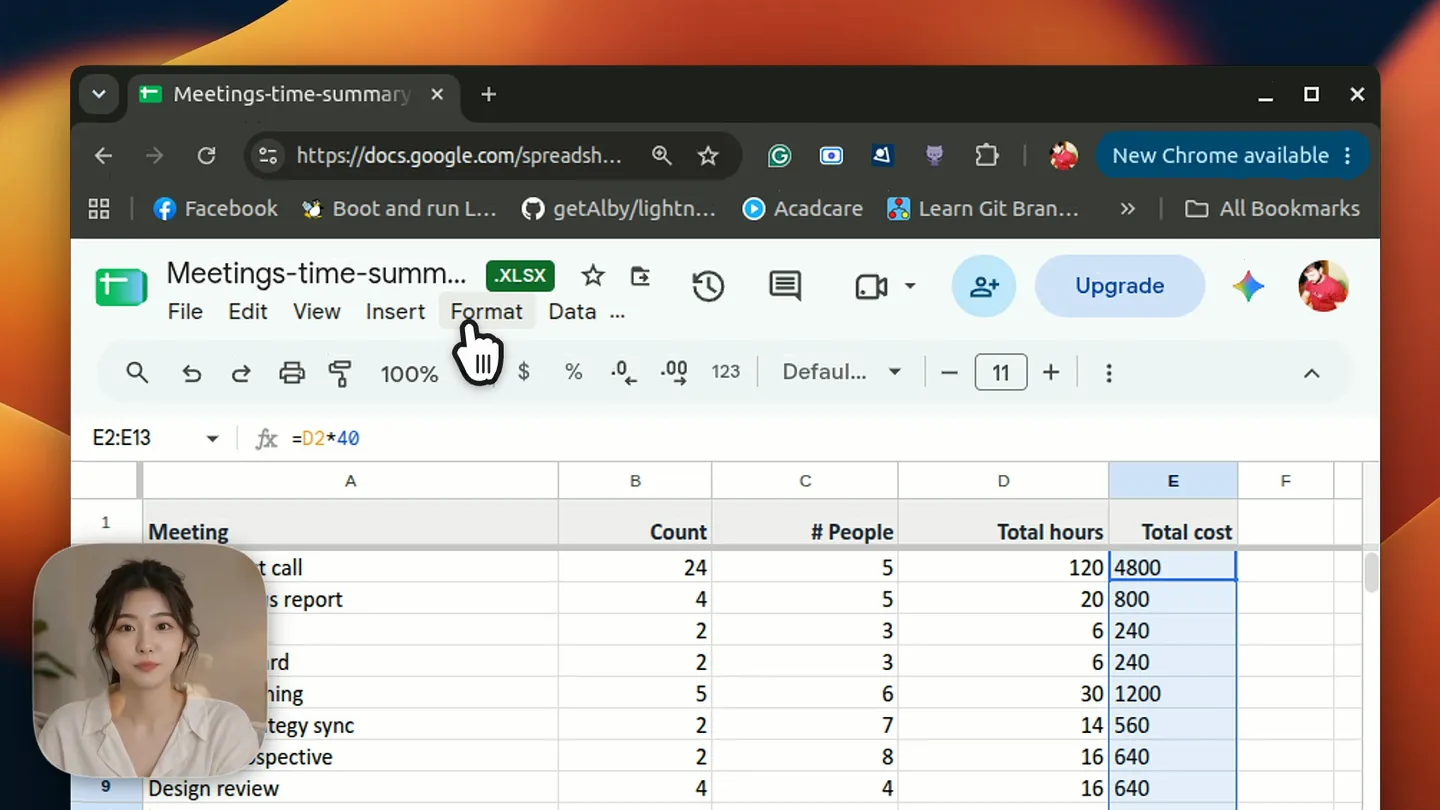
Recorded and edited entirely in Reframe — no other tools.
See it in action
Eleven real screenshots of the editor — one for every tool it ships with.
Zooms that follow your cursor
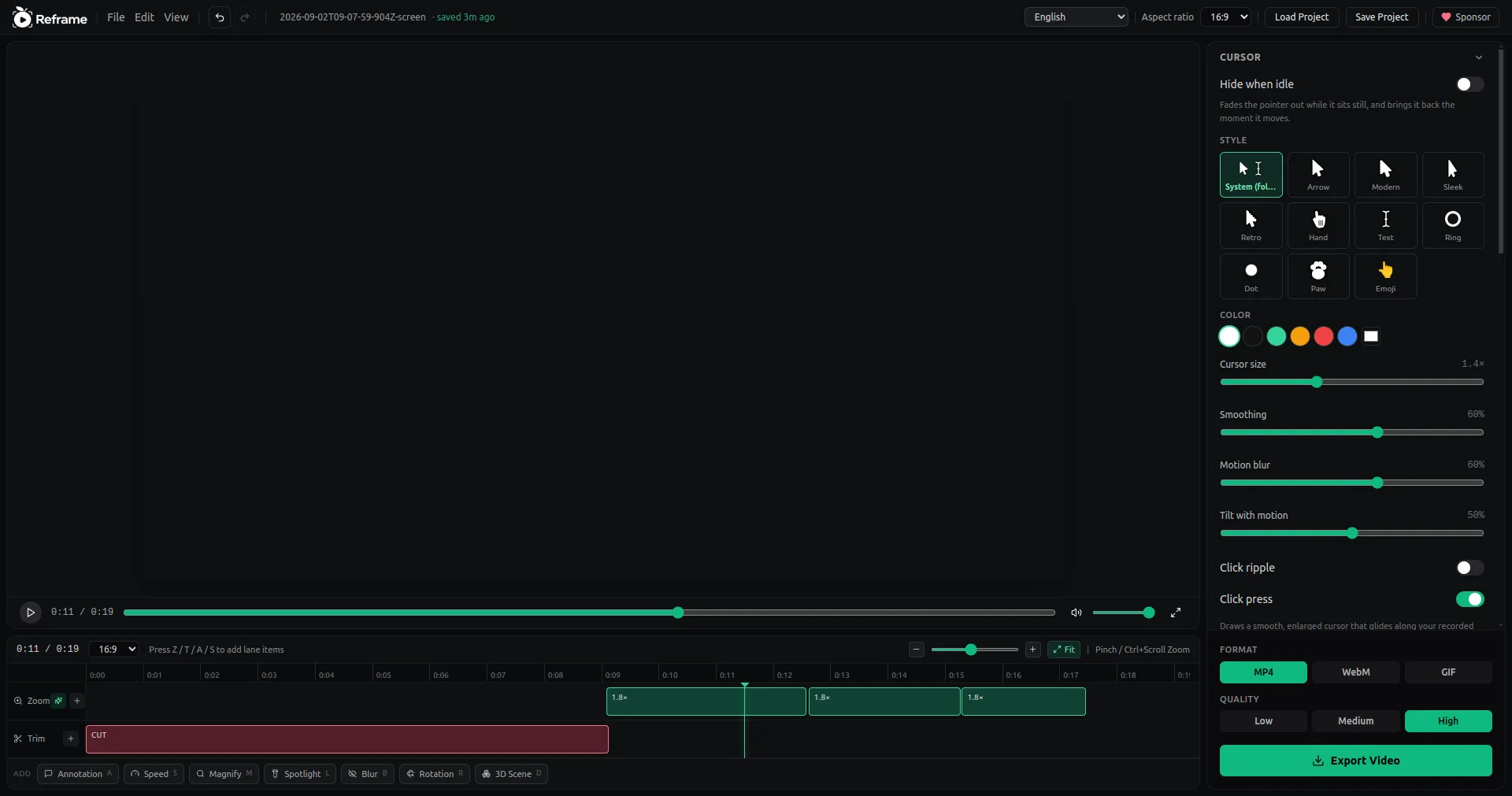
Reframe records where your pointer went and where you clicked. Hit "Suggest zooms" and it fills the lane with keyframes at the moments that mattered — six 2.2× zooms here, placed automatically. Drag them, restyle them, or add your own with Z.
Everything you need
A recorder and an editor in one app — nothing to stitch together, nothing to pay for.
Screen recording
Capture a full display, a single window or a custom region — with system audio, microphone and webcam recorded alongside.
Auto zoom
Cursor movement and clicks are tracked while you record, so Reframe can suggest zoom keyframes at the moments that matter.
Beautiful backgrounds
20+ wallpapers, gradients and solid colours, plus padding, corner radius, shadow, blur and 16:9 / 9:16 / 1:1 / 4:3 layouts.
Annotations
Add text and callouts on the timeline with your choice of font, size, colour and position — timed to the frame.
Trim, speed & crop
Cut the dead air, speed up the boring parts, crop the frame. Every edit lives on its own timeline lane and is fully undoable.
Cursor you can style
Swap the jittery OS pointer for System, Arrow, Ring or Dot, then tune its size, colour and smoothing — with click highlights on top.
Spotlight, magnify & blur
Dim everything but the region that matters, magnify a detail in place, or blur a chunk of the frame to hide what should not ship.
Webcam & layouts
Record your camera as its own track, then place it as a circle, square or rectangle — picture-in-picture, side by side, or camera only.
Export options
MP4, GIF or WebM at up to 4K — GPU-accelerated on macOS and Windows. No watermark, ever.
Auto-save projects
Every recording gets a project file from edit #0, saved as you work. Reopen it later and pick up exactly where you left off.
Private by design
Everything runs on your machine. No account, no upload, no telemetry — your recordings never leave your disk.
20 languages
The whole interface ships translated, from English and Spanish to Hindi, Japanese, Arabic and Ukrainian.
Truly cross-platform
One codebase, three first-class targets: Linux (AppImage + .deb), Windows (.exe) and macOS (.dmg).
Record. Re-frame. Ship.
From a raw capture to a demo you'd put on a landing page, in about four minutes.

The entire recorder — it floats above your work and stays out of the capture.
- 01
Hit record from the HUD
Reframe lives in a small pill toolbar at the top of your screen. Pick a display, window or region, choose your audio and camera, and go. Ctrl+Shift+0 stops the recording from anywhere.
- 02
The editor opens itself
Stop recording and the clip is already loaded — background, padding and shadow applied, cursor path parsed, project file saved. No import step.
- 03
Re-frame it
Suggest zooms, trim the dead air, add annotations, drop in the webcam bubble. Press Z / T / A / S to add a zoom, trim, annotation or speed item right at the playhead.
- 04
Export and ship
Choose MP4, GIF or WebM, pick a resolution up to 4K, and export straight to disk. No watermark, no upload, no sign-in.
Reframe is free, and stays free
No paid tier, no trial, no watermark — built and maintained by one person. Sponsorship covers the running costs, starting with code signing for macOS and Windows so you stop seeing security warnings on install.
First funding goal
Code signing for macOS and Windows
- Apple Developer Program$99 / year
- Windows code-signing certificate~$200 / year
Frequently asked questions
Is Reframe really free?
Yes. Reframe is free and open source under the MIT licence. There is no paid tier, no trial, no account and no watermark — the entire source is on GitHub.
Does it do automatic zoom like the expensive tools?
It does. Reframe records your cursor path and clicks while capturing, then suggests zoom keyframes at the busiest moments. You can accept them, edit the scale and easing, or place your own zooms on the timeline.
Can I use it for commercial work?
Yes. The MIT licence lets you use Reframe for client work, product launches, course material or anything else, with no attribution required and nothing stamped on your video.
What can it actually do?
Record a screen, window or region with system audio, microphone and webcam; then add backgrounds, padding, shadow, blur, zooms, trims, speed changes, crops, annotations, a smoothed cursor and a webcam bubble — and export to MP4, GIF or WebM at up to 4K.
Where do my recordings go?
Onto your own disk and nowhere else. Reframe is a desktop app with no backend: no account, no upload, no telemetry. Raw captures live in the app-data folder as scratch files, and exports land wherever you choose to save them.
What permissions does it need?
Screen recording permission on every platform, plus microphone and camera permission if you enable those. On macOS you grant them under System Settings → Privacy & Security; on Linux, Wayland sessions use the standard xdg-desktop-portal screen-cast prompt.
macOS says the app is damaged — what now?
The macOS build is not code-signed yet, so Gatekeeper quarantines it. Right-click the app and choose Open the first time, or run: xattr -cr /Applications/Reframe.app
Does it run on Linux properly?
Linux is the primary development platform, not an afterthought. There are AppImage and .deb builds, cursor capture works on X11 and Wayland, and the .deb declares the ffmpeg and GStreamer dependencies it needs.
How often is it updated?
Reframe is actively developed in the open. The app checks GitHub Releases for updates on launch, and you can follow every change on https://github.com/pavanjoshi914/Reframe.
Your next demo deserves better than a raw screen capture
Free forever, open source, and it runs entirely on your machine.